
AI marketing · California MLS compliant
Every listing gets a guided launch, from photos to published site.
Add the address and photos, then walk the launch checklist: AI description, virtual staging, a reel, and a just-listed email, each one click away. Publish when you're ready.
Before ClosingVista
Where your Tuesday actually goes.
-
Hours at the desk, before you even list it.
A description to write, photos to edit, a flyer to lay out, an email to send. All by hand, all before the sign goes in the yard.
-
Buyer questions don't wait for office hours.
A text at 9 p.m. about square footage. A message Sunday morning about schools. By the time you see it, they've moved on to another listing.
-
Between showings, a lead goes cold.
There's no time to follow up before the next appointment, so interest fades while you're already on to the next house.
The workflow
How it works
-
Start with an address
Type the address, add a few photos. The launch checklist lines up every step for you. No blank page, no starting from scratch.
-
Build it out on your phone, whenever you have a minute
AI writes the description when you ask. Staging, the reel, and the just-listed email are each one click into their studio. Compliance runs as you go: DRE license, photo format, staging disclosure.
-
Publish, and the Virtual Host takes the late-night questions
Buyers get real answers from your listing's own facts, day or night. No more late-night questions you can't get to until morning.
-
Every lead lands already handled
Emails land in your inbox with a reply already drafted, and a call to your AI Caller gets answered live. Turn on auto-reply and the reply goes out the instant a lead comes in, no tap needed.



Virtual staging
From empty to open-house ready
The left side is the photo your photographer delivered. The right side is the virtually staged version the Staging studio builds. Drag the handle and compare.
 Virtually staged
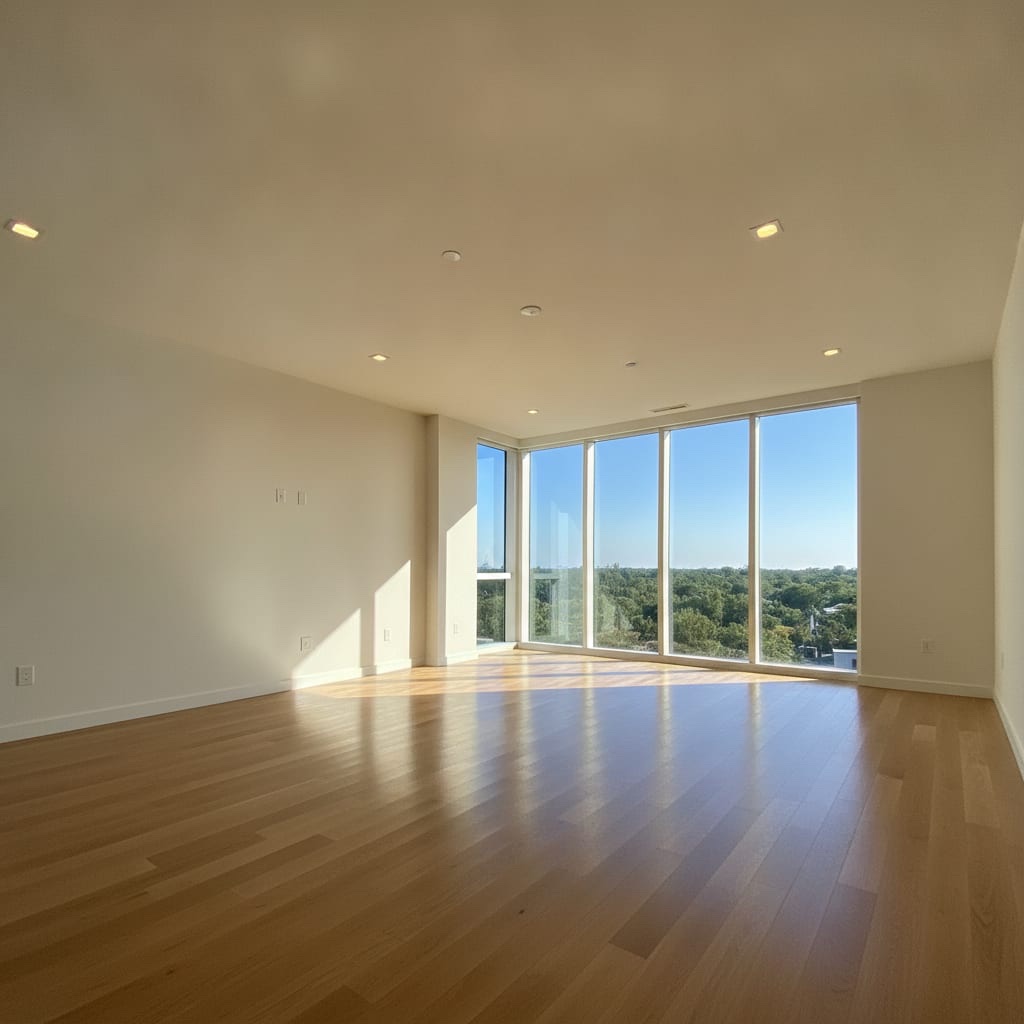
Real output from the sample listing every new agent starts with. Staged photos always publish with the required disclosure.
Included, not extra
Everything it takes to run a listing
-

Five site templates. One click to switch.
Ledger, Gallery, Cornerstone, Atelier, Nocturne: pick the one that fits the home, preview it with your own photos, switch anytime. Or import an existing listing from the web instead of retyping every fact by hand.
-

A live report your seller can check anytime
Send one link. They see page views, video plays, buyer questions, and lead count update in real time. Never a lead's name.
-

Open-house sign-in, no clipboard
Guests sign in on a tablet at the door. Every guest becomes a lead in your inbox, ready to follow up.
-

Compliance that stays out of your way
Automatic checks for photo format, staging disclosure, and your DRE license. Plain-language deadlines for MLS entry, Coming Soon, and closing. Never a red alarm, just the facts and the date.
-

3D tours, right on the site
Add a link from Matterport or another provider. It shows up on the property site next to the photos and reel.
-

Every ad dollar goes to the platform, not to us
Launch ads from the same workspace, with none of the industry's usual 27% markup added on top. Every dollar of your budget goes to the ad platform.
-

E-signatures, no per-document fee
Legally binding under the U.S. ESIGN Act and UETA, the same laws every e-signature service relies on, with a tamper-evident audit trail on every completed document. If your brokerage's policy names a specific provider, sign there and upload the file here instead.
-

An assistant that knows your listings
Ask what's blocking a publish, what a document needs, or how a California MLS rule works, grounded in your own data, not a generic chatbot.
-

Print, when you need it
Generate a flyer or postcard from the same listing. Your DRE license and the required original-photo QR code are included automatically.
-

One link for everything you're selling
Your listings, your reviews, and a way to reach you. One page you can drop in a text, a bio, or a sign. New listings and just-sold wins show up on it automatically.
-

Your own AI phone line
Every agent gets a phone number of their own. It answers calls, can place follow-up calls when you turn that on, and files every caller straight into your inbox as a lead, even when you're standing in someone's kitchen.
-

Past clients don't have to go cold
Every contact you've ever worked with, in one book. Send a just-listed or just-sold announcement in one click, or let a quiet check-in go out on its own, so you're the first call when they're ready again.
-

Your leads are yours
Your leads land in your own inbox, not a shared pool. Even inside a brokerage office on ClosingVista, lead sharing starts off: joining an office doesn't hand over your book.
The math
What you'd pay elsewhere.
Same listing, every fee side by side, and what each line actually covers.
| Line item | The industry's usual fee stack | ClosingVista |
|---|---|---|
| Marketing toolsThe description, staged photos, a reel, a launch email, your link-in-bio page, and the listing site itself. | $29–119/mo, one template at a time | $49/mo: 4 marketing packages and 150 Virtual Host answers a month, every listing |
| Ad markupThe cut taken on top when you put budget behind a listing. | 27% | 0% |
| E-signaturesA routine part of every closing. | Extra, per document | Included, no per-document fee |
| The bottom line | A subscription, per-document fees, and a cut of your ad budget | $49/mo: everything above, every listing |
The ClosingVista column is the whole price: one flat rate per role.

Start free. Publish today.
No fee stack to unwind. Sign up, create a listing, and the launch checklist takes it from there.